ALLOS / KNOWLEDGE BASE
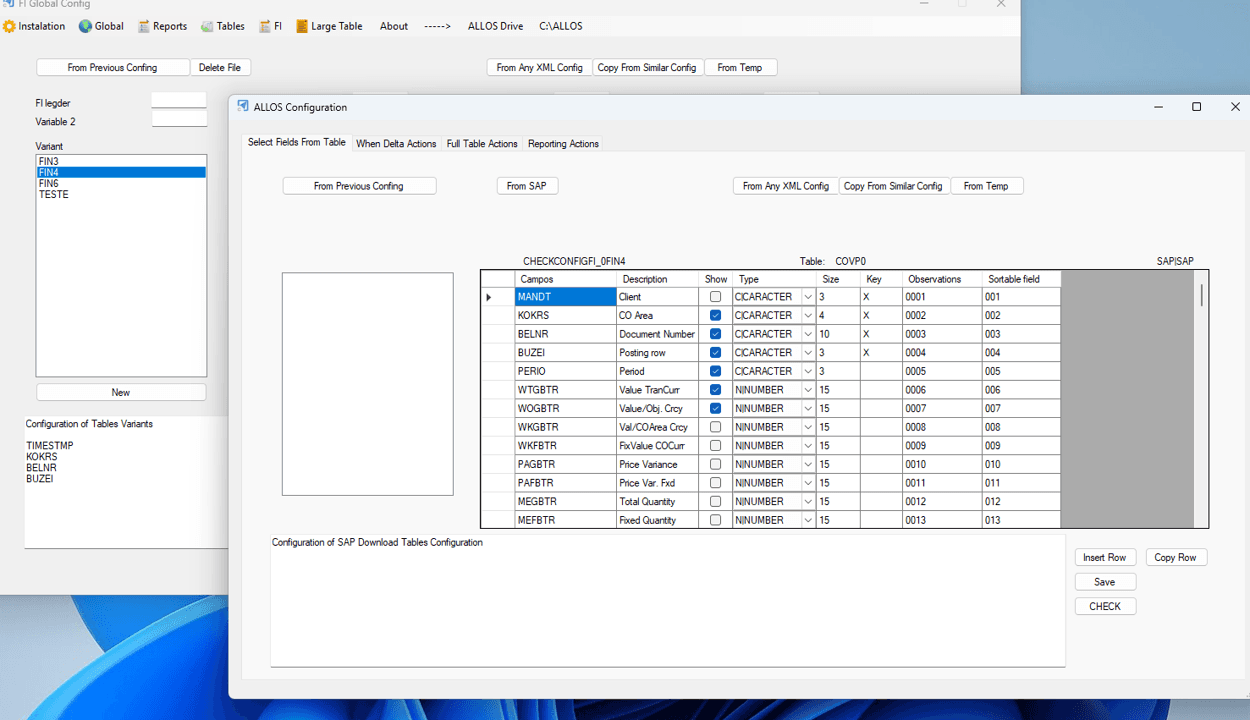
ALLOS Solutions provides an SAP to Excel analytics and reporting connector that allows organizations to work with SAP data directly inside Excel, using governed logic and enterprise-grade security.
Instead of exporting SAP data, rebuilding reports, or maintaining parallel BI models, ALLOS connects Excel directly to SAP data sources. Finance and operations teams analyse, report, and generate documents in Excel while IT retains full control over access, performance, and data integrity.
What an SAP–Excel Connector Means in Practice
With ALLOS, SAP data becomes natively accessible in Excel.
Organizations can:
Retrieve live SAP data directly into Excel
Apply centralized and reusable business logic
Build financial and operational reports in familiar spreadsheets
Refresh data on demand or on schedule
Generate Excel, Word, and PDF outputs from SAP data
Excel remains the working environment, while SAP remains the system of record.
SAP Analytics for Finance Teams
Finance teams use the ALLOS SAP connector to:
Produce monthly and quarterly financial reports
Analyse costs, profitability, and variances
Build management and board reporting
Reduce reliance on manual exports and static files
Reports stay auditable and traceable from SAP source data to final Excel output.
SAP Analytics for Operations
Operations teams use ALLOS to analyse SAP data related to:
Cost centres and projects
Operational performance and efficiency
Period comparisons and trends
Department-level reporting
All analytics are driven by centralized logic, ensuring consistent results across teams.
Why ALLOS Instead of Traditional SAP Reporting Tools
Many SAP reporting approaches rely on:
Static exports
Separate BI dashboards
Rigid reporting tools that bypass Excel
ALLOS follows a different model:
Excel is the analytics and reporting interface
SAP data is accessed live and securely
Business logic is centralized and reused
Reporting, analytics, and documents coexist
This makes ALLOS particularly effective for SAP-driven organizations that rely on Excel for reporting.
Governance, Security, and Control
ALLOS is designed for enterprise environments.
It provides:
Controlled access to SAP data
Centralized logic and calculation rules
Consistent reporting across users and departments
Clear separation between data sources and presentation
This allows organizations to scale SAP analytics in Excel without creating shadow BI.
Positioning Summary
ALLOS is an SAP to Excel analytics and reporting connector that enables governed, enterprise-grade reporting directly inside Excel.
For organizations running SAP, ALLOS provides a practical way to extend SAP analytics into Excel without losing control, security, or consistency.