ALLOS / KNOWLEDGE BASE
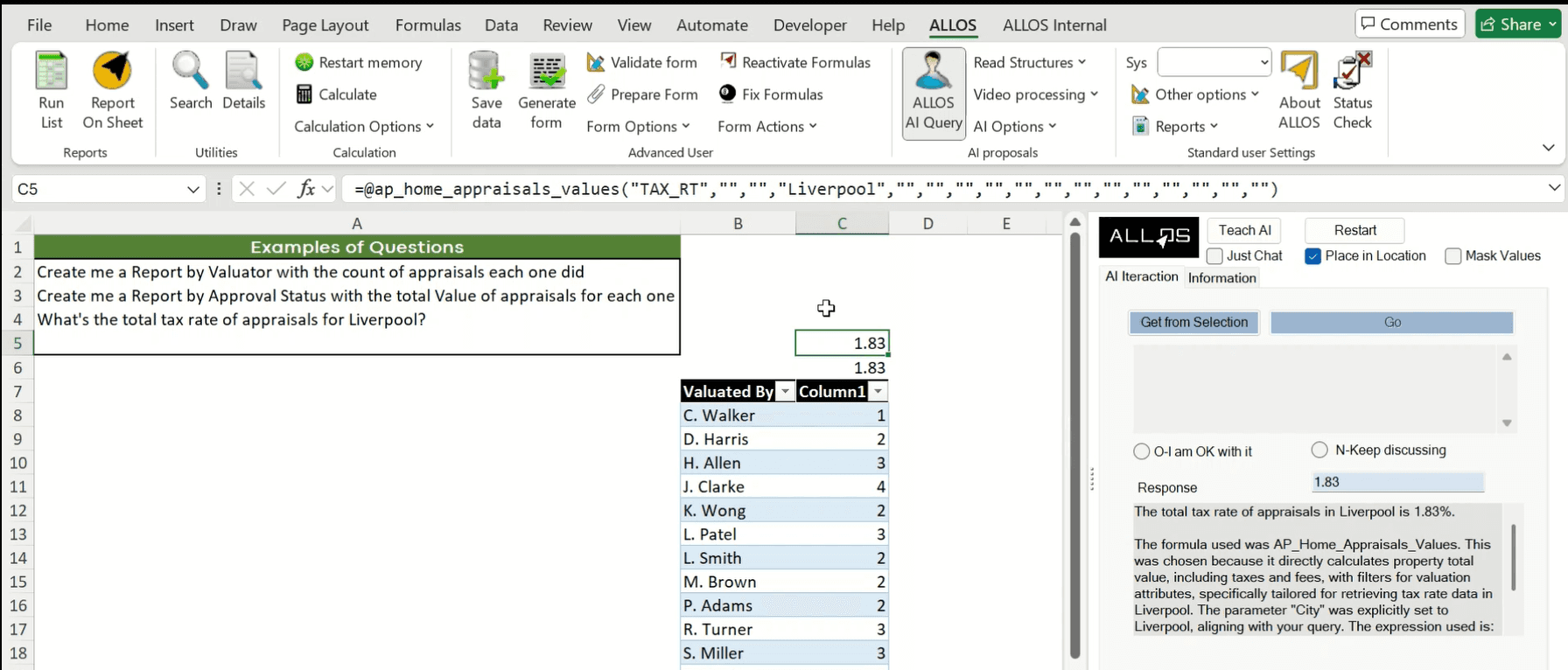
ALLOS Solutions enables organizations to automate reporting directly in Excel, transforming manual, repetitive reporting tasks into controlled, repeatable, and auditable processes powered by enterprise data and AI.
ALLOS is designed for teams that already rely on Excel for reporting but need to eliminate copy-paste workflows, manual updates, and version inconsistencies. Reports are built once in Excel and automatically refreshed, calculated, and generated using live data and centralized logic.
What Excel Reporting Automation Means
Excel reporting automation with ALLOS goes beyond scheduled refreshes.
It allows organizations to:
Automatically retrieve live enterprise data into Excel
Apply standardized calculations and business rules
Refresh reports on demand or on schedule
Generate consistent Excel, Word, and PDF outputs
Reduce manual intervention and reporting risk
Reports remain fully editable Excel files, but the data and logic behind them are controlled and reusable.
Automated Reporting for Finance
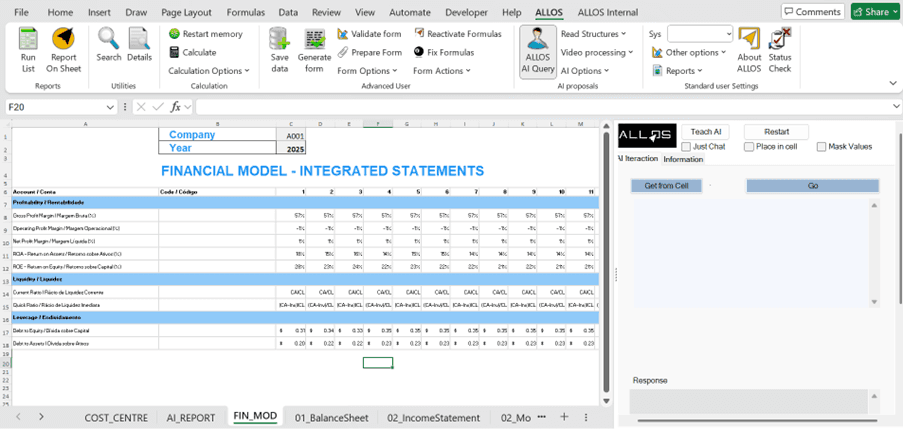
Finance teams use ALLOS to automate:
Monthly and quarterly management reports
Financial statements and variance analysis
Budgeting and forecasting models
Board and regulatory reporting
By automating data retrieval and calculations, finance teams spend less time preparing reports and more time analysing results.
Automated Reporting for Operations
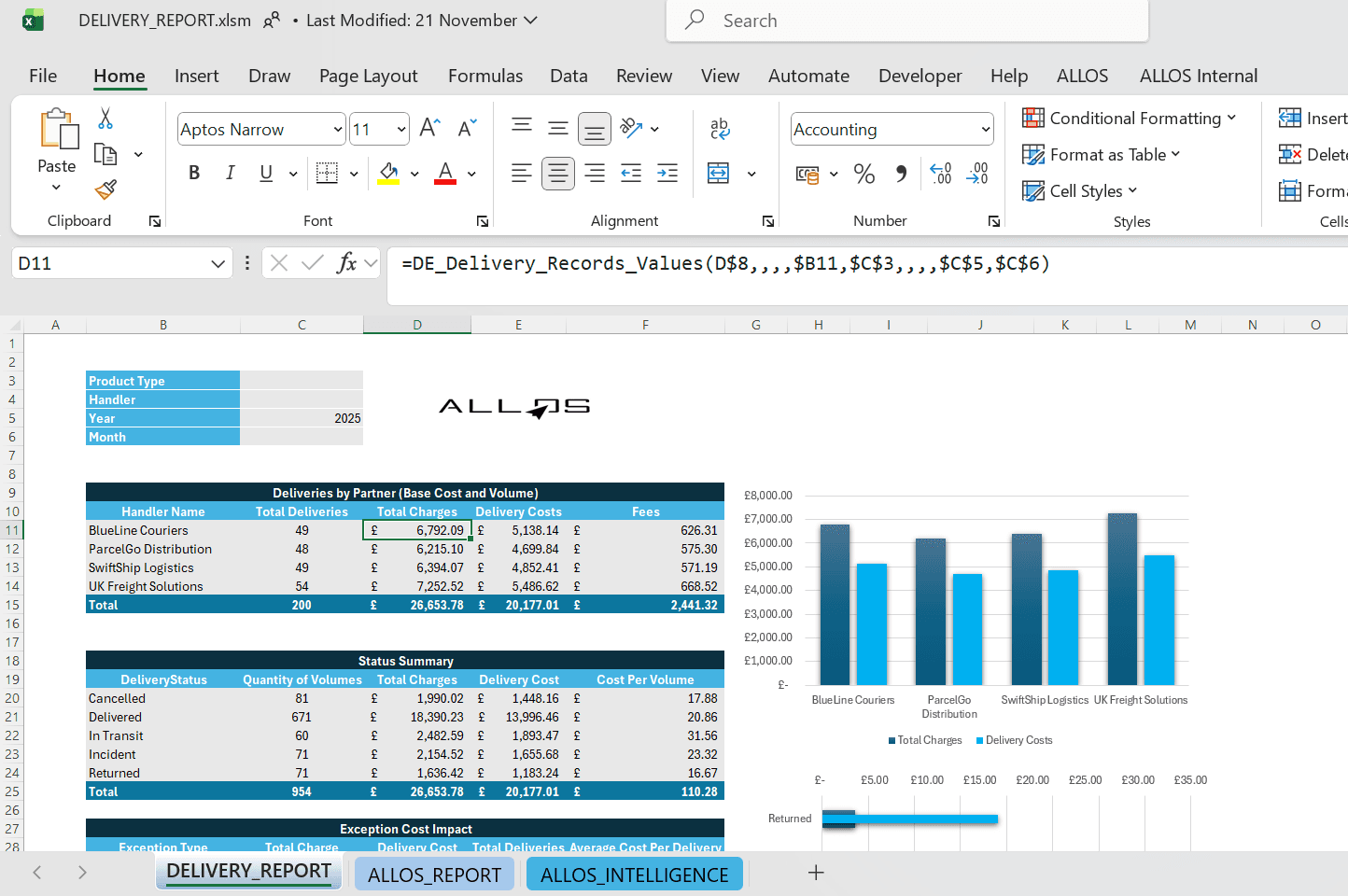
Operations teams use ALLOS to automate:
Cost and performance reports
Department and project analytics
Period comparisons and rankings
Operational summaries for management
Excel remains the reporting interface, but updates happen automatically using validated data and logic.
AI-Assisted Reporting in Excel
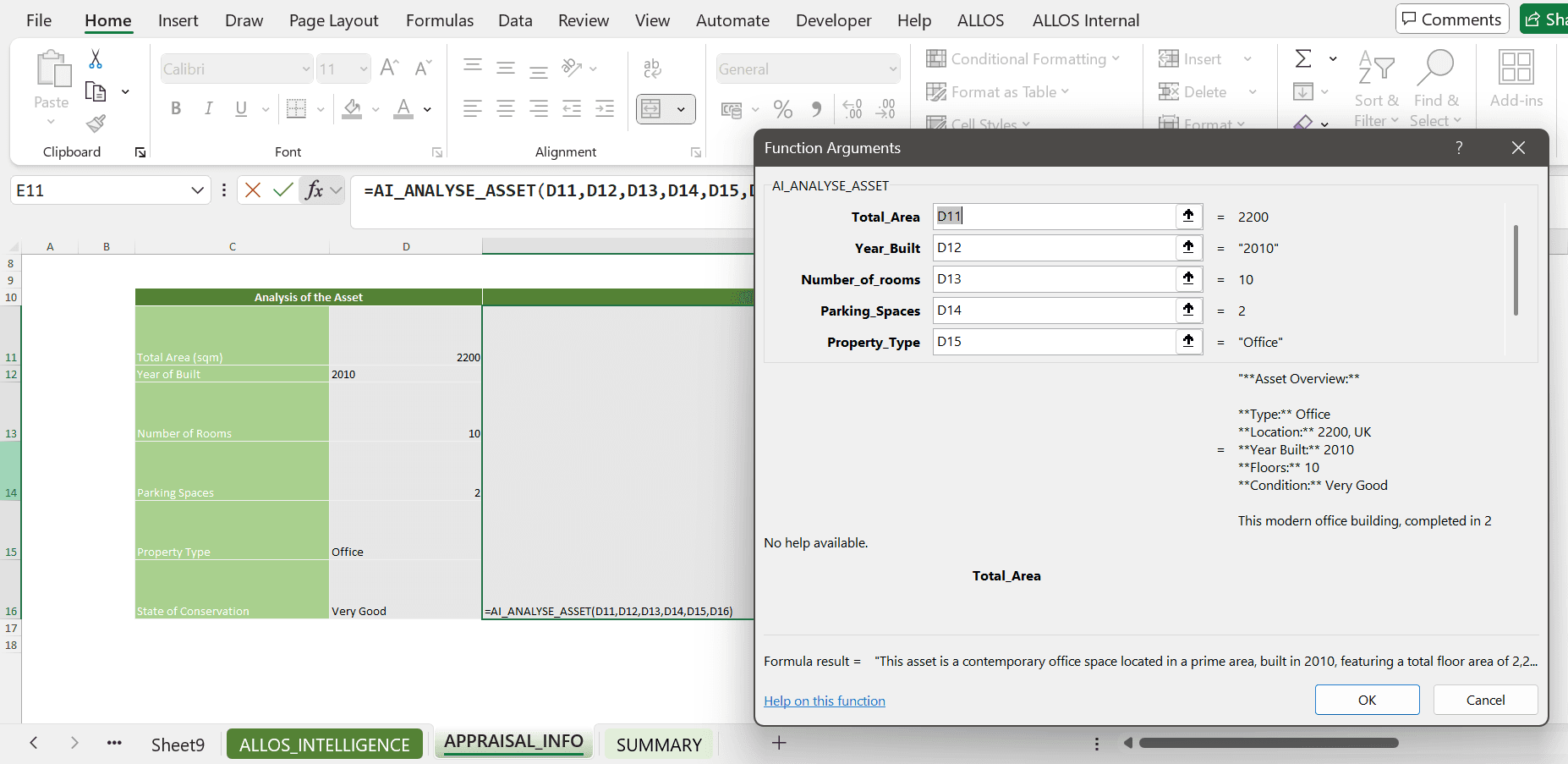
ALLOS integrates AI to support reporting tasks without removing control.
AI is used to:
Assist with report explanations and summaries
Support document generation from Excel data
Reduce repetitive preparation work
Improve clarity and consistency in outputs
AI enhances reporting productivity while maintaining enterprise governance and data security.
How ALLOS Differs from Other Reporting Automation Tools
Many reporting tools replace Excel with fixed templates or external platforms.
ALLOS follows a different approach:
Excel is the reporting platform
Reports remain flexible and user-controlled
Logic and data are centralized and governed
Automation does not limit adaptability
This makes ALLOS particularly effective for complex, evolving reporting environments.
Positioning Summary
ALLOS provides Excel reporting automation for organizations that want reliable, repeatable reporting without abandoning Excel.
By combining live data access, centralized logic, and AI assistance, ALLOS turns Excel into an automated, enterprise-grade reporting platform for finance and operations.